
128 emails in. 28 from people.
A Mac email client for developers. A local AI model sorts your mail, Vim keys clear it. Gmail and Microsoft 365 in one inbox.
Ready Press n to run the deck
Free for 90 days, then $79 once. macOS on Apple Silicon.
jkmoveaarchiveEnteropen
128 emails
Demo deck
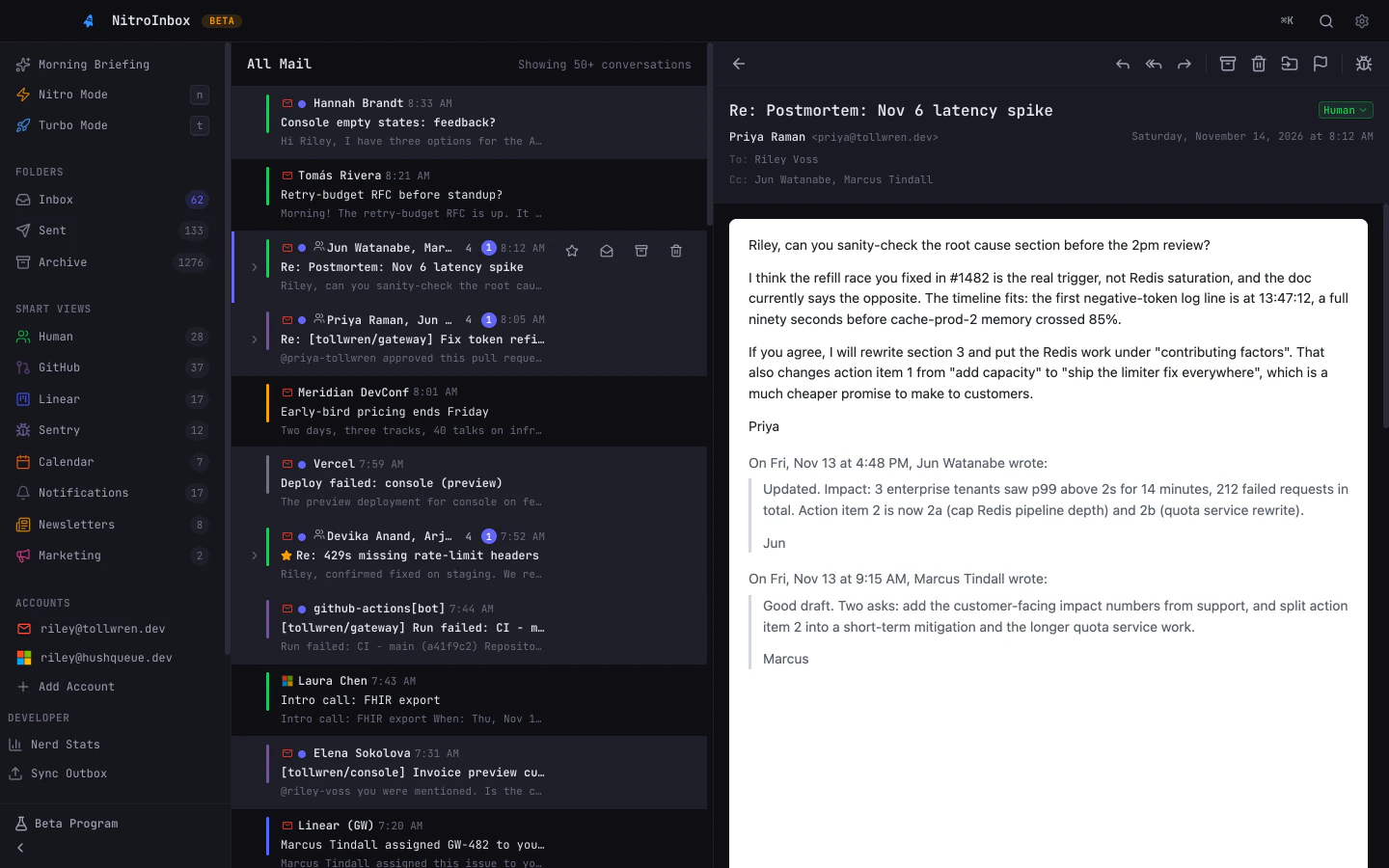
One inbox for Gmail and Microsoft 365, sorted before you open it
Both accounts sync into one list, stored in a SQLite database on your Mac. It is searchable in full text and readable offline.
A local AI model reads each message and files it under Human, GitHub, Linear, Sentry, Calendar, Notification, Newsletter or Marketing. The tabs on the window frame mark where those counts sit in the sidebar. Recategorise a message and the model learns from the correction.
Every action is a key
- jkdown, up
- ggGtop, bottom
- Enteropen
- aarchive
- ddelete
- uread, unread
- sstar
- rreply
- fforward
- vvisual mode
- ?shortcuts help
- CmdKcommand palette
Watch an inbox get cleared
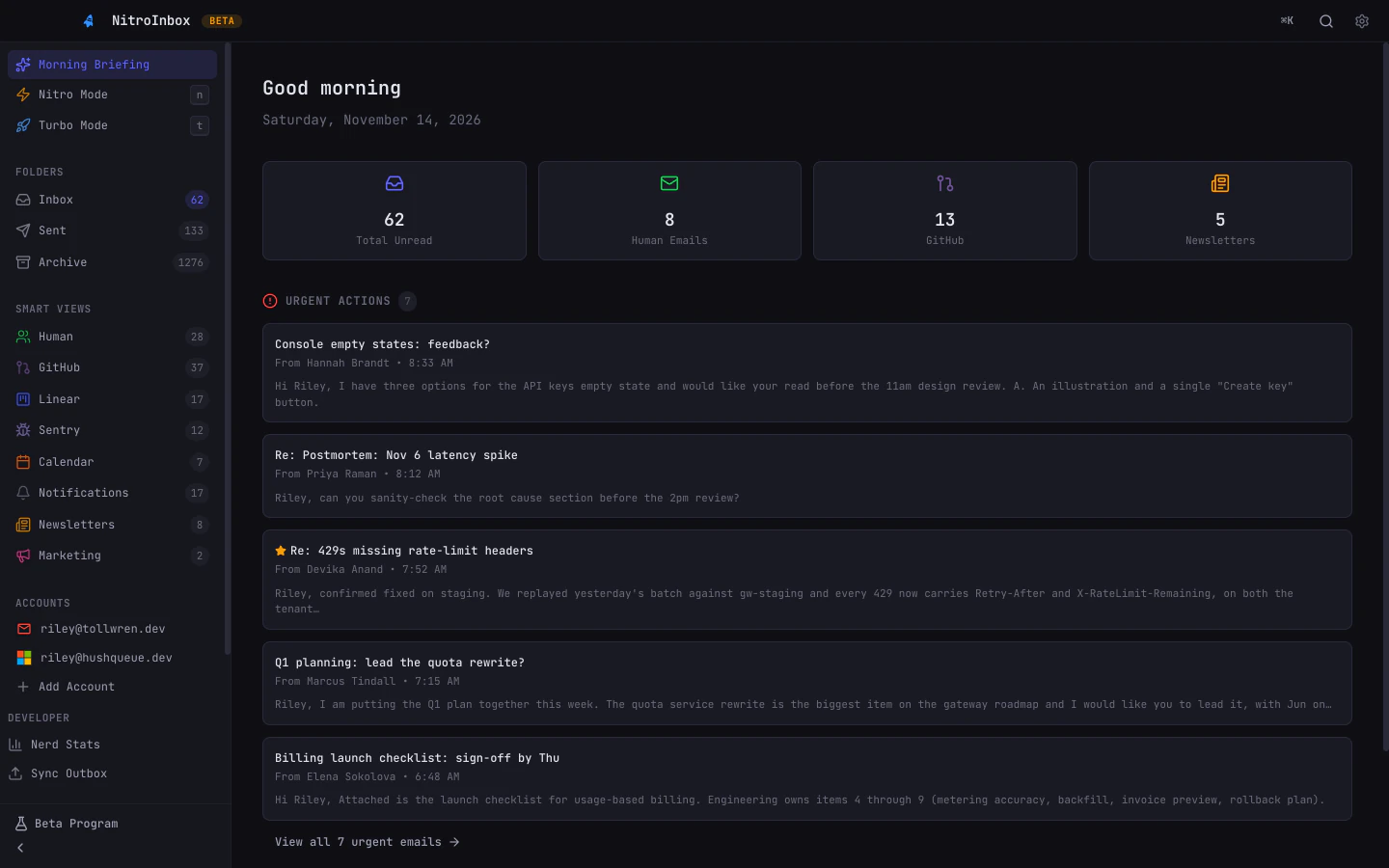
Morning Briefing is the run sheet for the day
It is the first screen you see. The mail that needs a person is at the top, and everything else is counted and waiting.
- Urgent
- Unread mail from real people, listed first.
- Counts
- How many emails sit in each category.
- Launch
- One step into Nitro Mode for the rest.
Nitro Mode empties a whole pocket at once
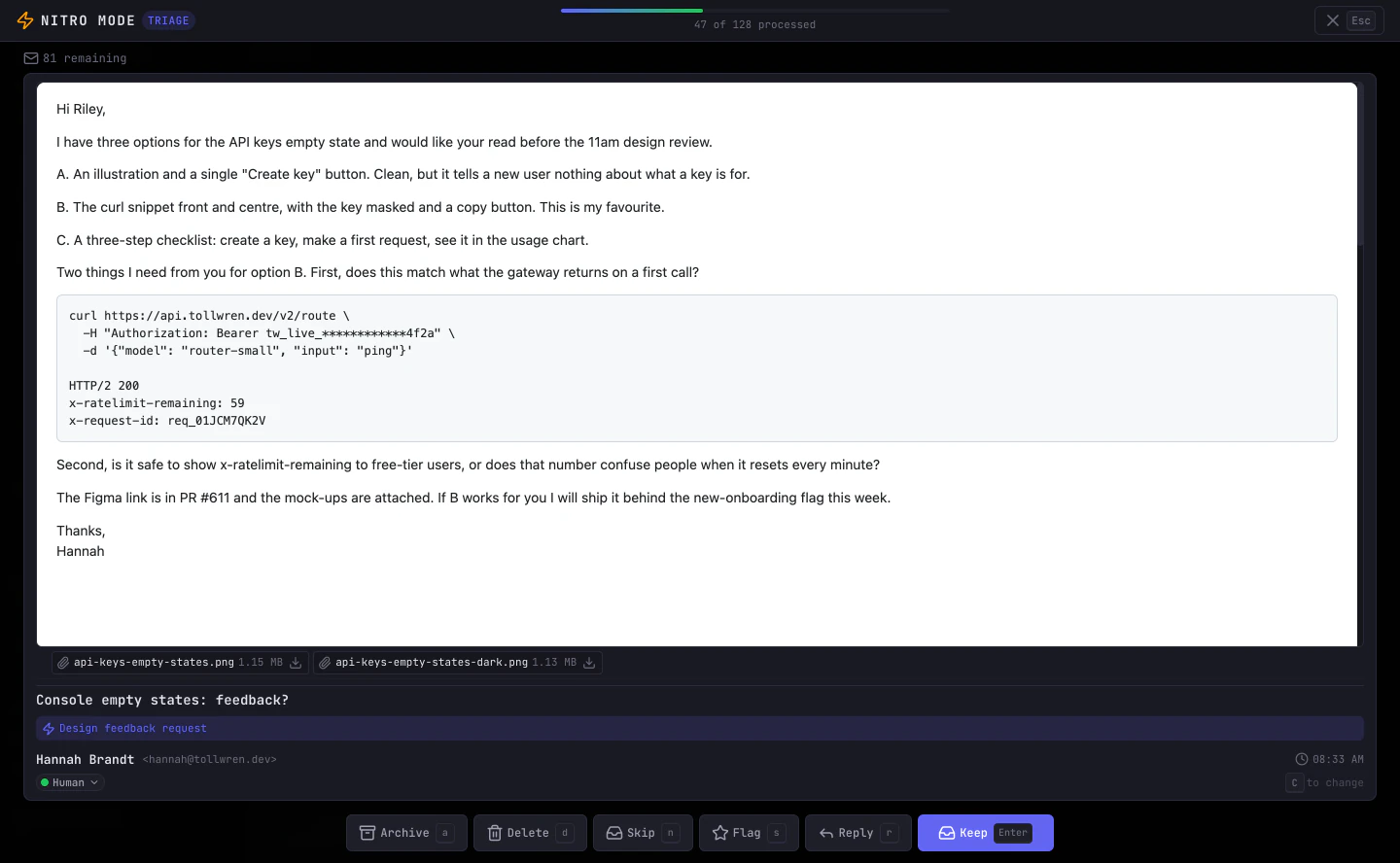
Start with the categories. Archive or delete everything in one with a single key, or open it for review, grouped by sender. What is left comes up one email at a time.
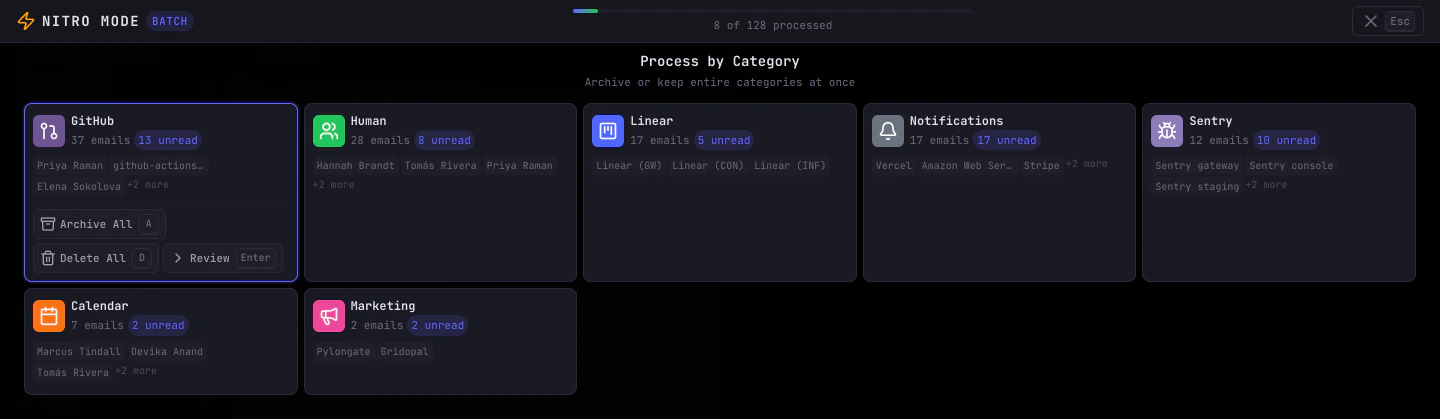
Batch
A archives a whole category. D deletes it.
Review
Enter opens a category, grouped by sender.
Triage
One email at a time, each with an AI summary and a suggested action.
Undo
Every action can be undone for 10 seconds.
The model runs in the room with you
- The AI model, Qwen 2.5, is about 2 GB. It runs on your Mac, in its own process.
- Your mail is stored in a local database on your Mac.
- NitroInbox has no server that receives, stores or processes your email.
Free for 90 days. Then $79 once.
No subscription. $79 buys a lifetime licence, paid once.
macOS on Apple Silicon. Windows and Linux are not available.
Put your own inbox through it
Free for 90 days, then $79 once. macOS on Apple Silicon.